
Photo by Jamie Street on Unsplash
Medication reminder apps can make it much easier to stay on schedule, especially if you take more than one prescription each day. On iPhone, one free option highlighted here is Medisafe, an app designed to remind you what to take, when to take it, and help you keep your medication list organized.
If you want a simple way to get pill reminders on your iPhone, this guide explains what Medisafe does, how to set it up, and which features are most useful for seniors, caregivers, and family members.
What Medisafe does on iPhone
Medisafe is a free iPhone app for medication management. Its core purpose is to help you remember doses by sending reminders at the times you choose.
According to the source material, the app can help you:
- Set medication reminders for each medicine
- See which pill to take when an alert appears
- Get warnings about certain medication combinations
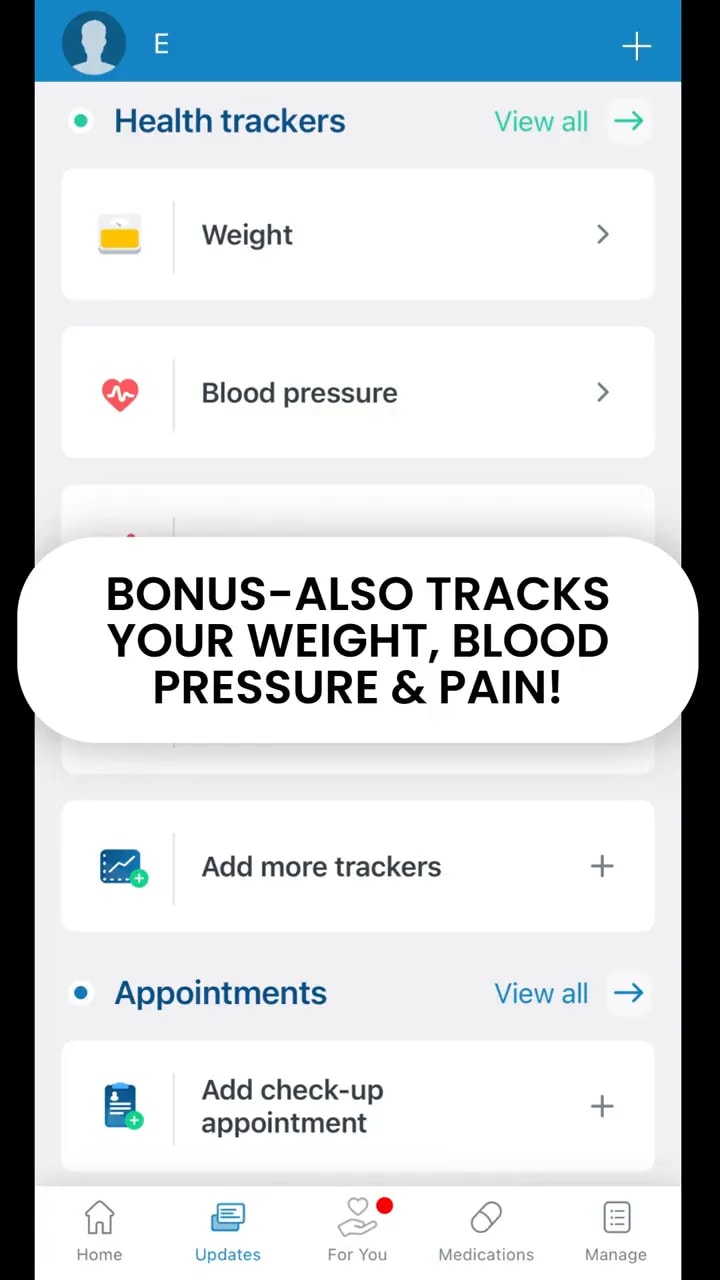
- Track health information like weight, blood pressure, and pain levels
- Add a family member who can be notified if you miss a medication
For many people, that makes it feel more organized than relying on memory, sticky notes, or a paper list alone.
Who this app is especially helpful for
This type of iPhone medication reminder setup is especially useful for:
- Older adults managing several daily medications
- Anyone who wants clear pill alerts at exact times
- Caregivers helping a parent or family member stay on track
- People who want one place to store medication and health tracking information
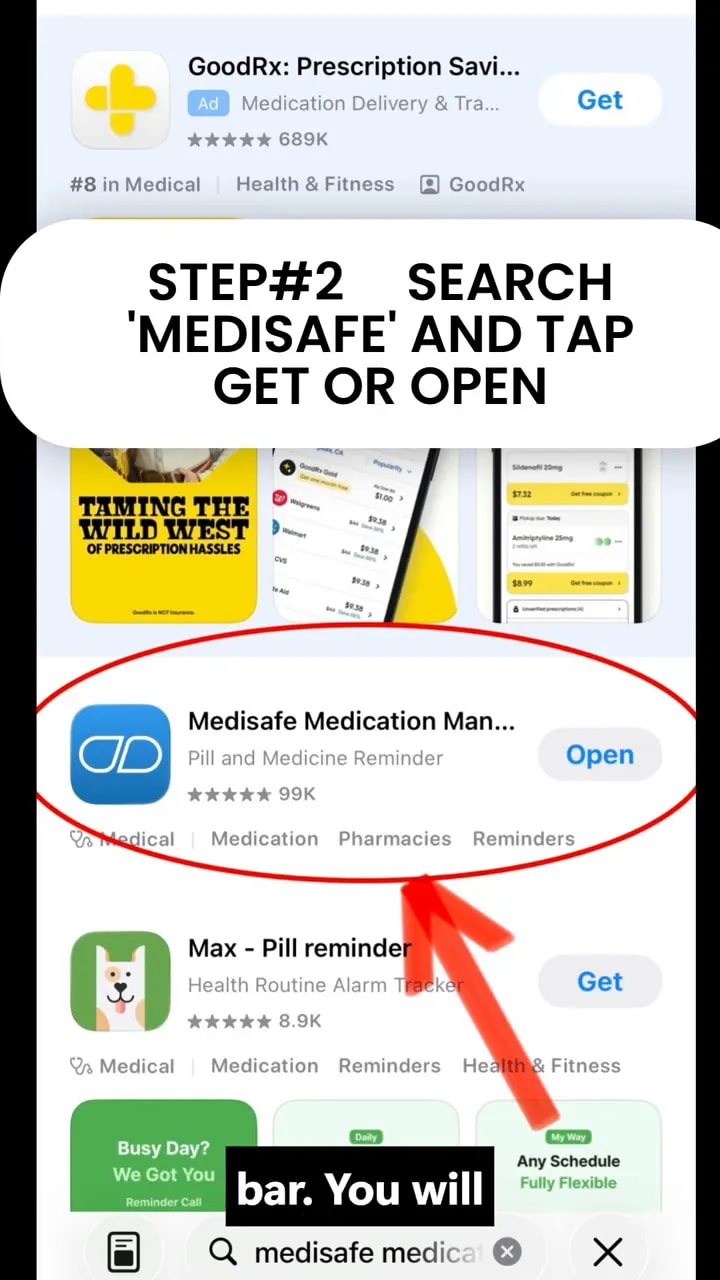
How to download Medisafe on iPhone
- Open the App Store on your iPhone.
- Tap the search bar.
- Type Medisafe.
- Look for the app with the blue and white icon.
- Tap Get to download it if it is not already installed.
The source material states that the app is completely free to download.
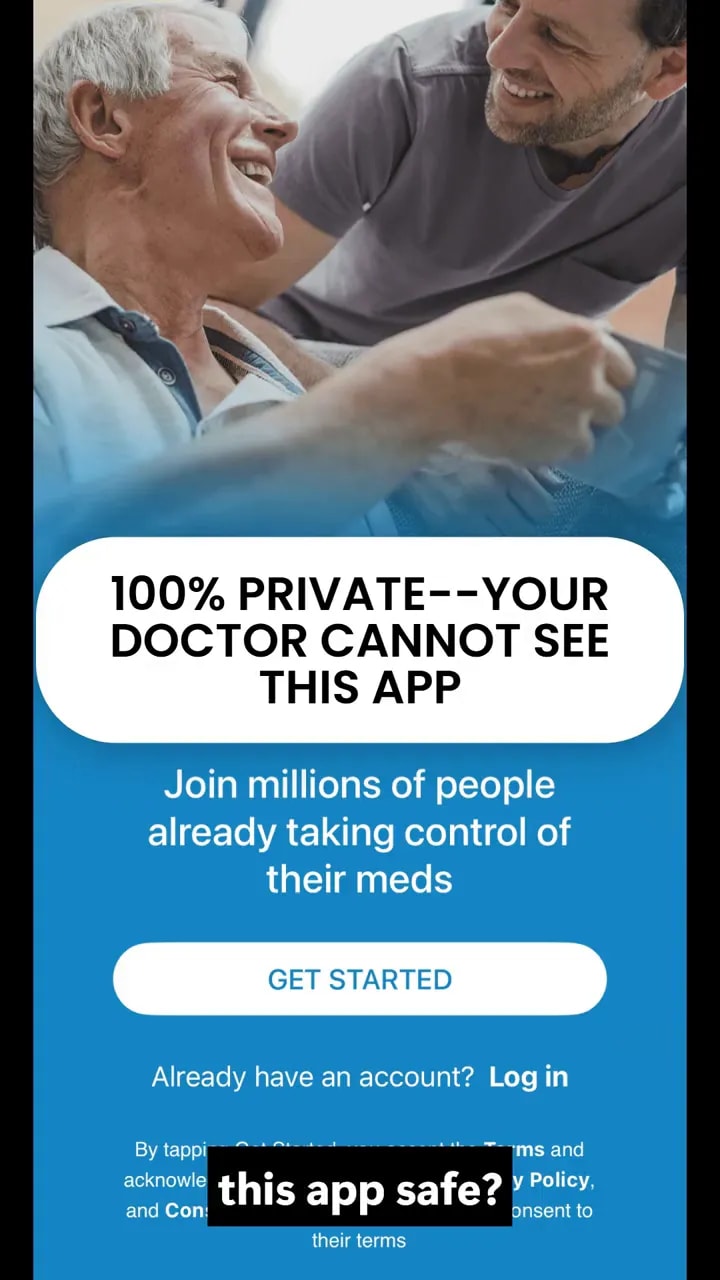
Is Medisafe private and safe to use?
A common concern with health apps is privacy. The source material states that your information is private and that a doctor cannot access it unless you choose to share it.
That means the app is presented as something you control. If privacy is a major concern for you or a family member, this is one of the first settings and policies worth reviewing during setup.
How to add a medication in Medisafe
Once the app is installed, the basic setup starts by adding your medications.
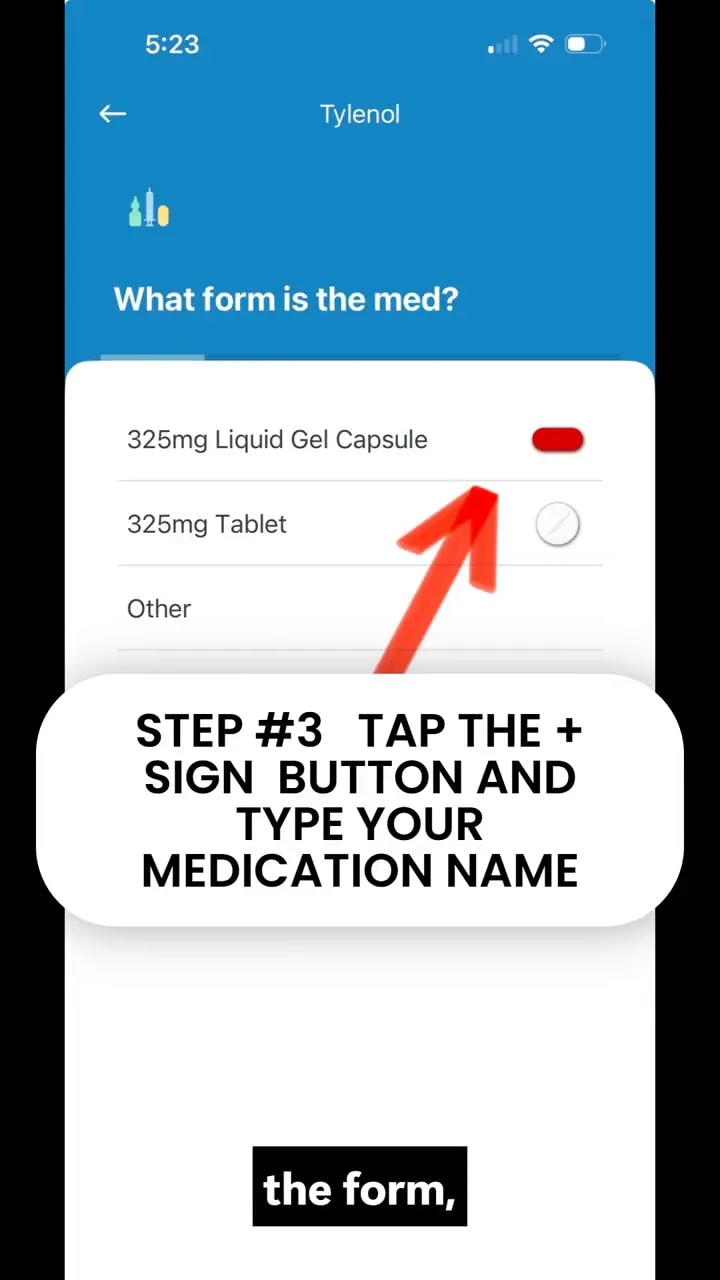
1. Tap the plus button
Open the app and tap the plus sign to add a new medicine.
2. Search for the medication name
Start typing the name of your medication. The app is described as recognizing thousands of medications, so matching results should appear as you type.
3. Choose the medication form
Select the form that matches what you take, such as:
- Tablet
- Capsule
- Other available forms shown in the app
How to set medication reminder times on iPhone
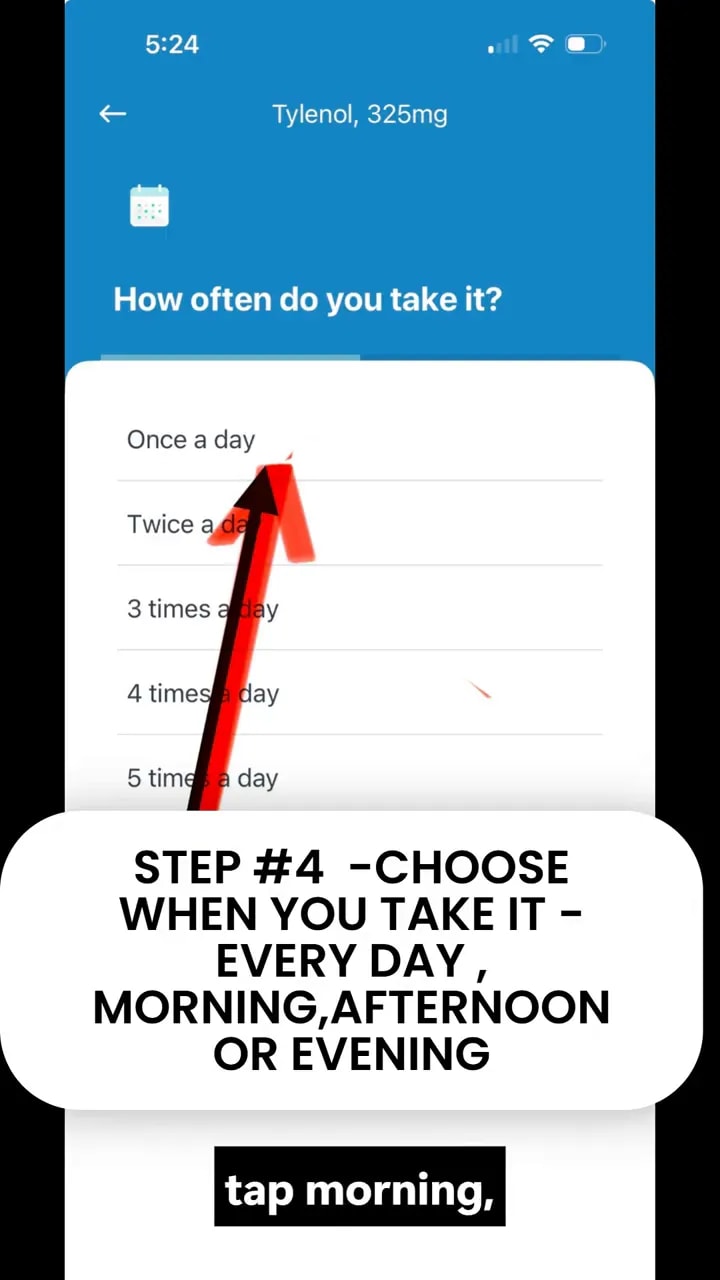
After adding the medicine, choose when you take it.
The app lets you pick general times of day such as:
- Morning
- Afternoon
- Evening
- Bedtime
You can also set an exact hour by tapping the clock option. This is helpful if you need alerts at a specific time rather than a broad part of the day.
Helpful tip
When setting reminder times, use the schedule you actually follow. If you usually take medicine at 8:00 AM and 8:00 PM, enter those exact times instead of a vague morning or evening estimate.
What medication reminders look like on iPhone
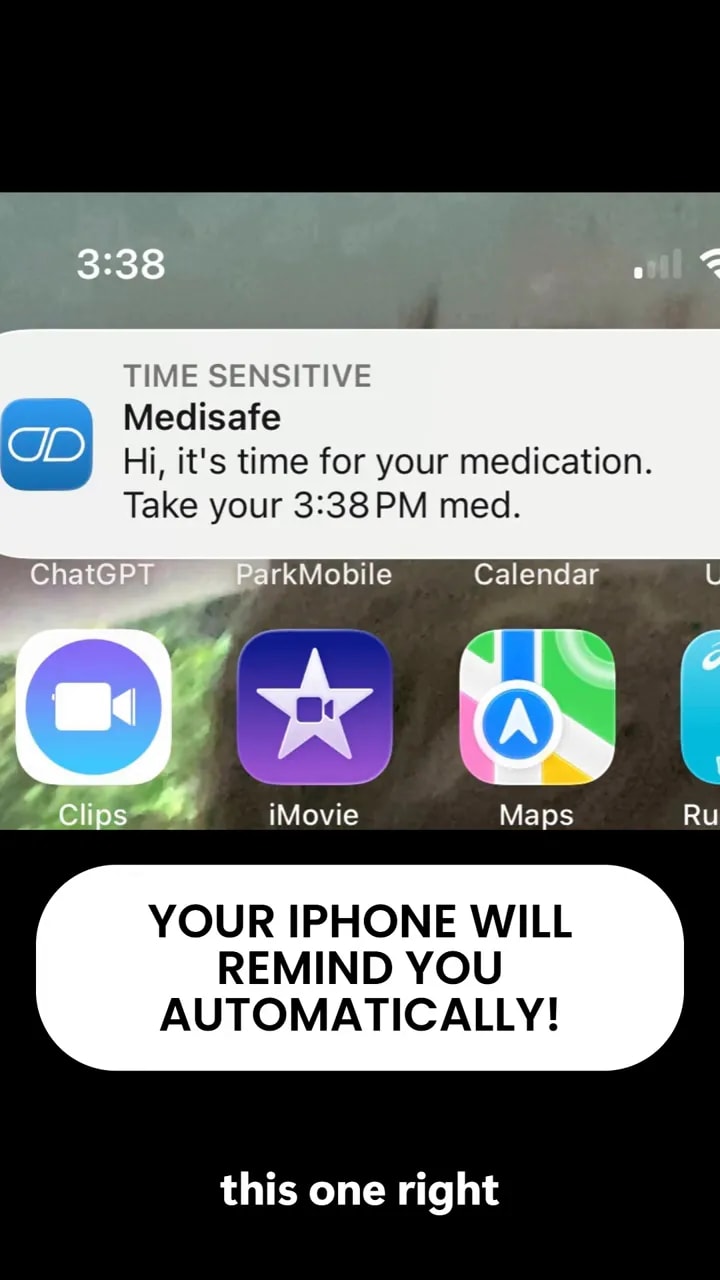
Once your medication is saved, Medisafe can send a reminder directly to your iPhone screen.
Based on the source material, the reminder includes:
- A notification sound
- The name of the medication
- The scheduled time
- A prompt showing what to take
This makes the alert more useful than a basic alarm because it is tied to a specific medication, not just a generic beep.
Can you mark pills as taken?
Yes. The source description specifically notes that the app can help you mark pills as taken. This matters because reminders are more useful when you can confirm that a dose was actually completed.
If you ever forget whether you already took a pill, logging doses can reduce that uncertainty.
Extra health tracking features in Medisafe
Medication reminders are the main feature, but the app also includes health tracking tools. The source material mentions tracking for:
- Weight
- Blood pressure
- Pain levels
Keeping this information in the same app can be useful before a medical appointment, since you can keep your medication schedule and health observations together.
How family member alerts work
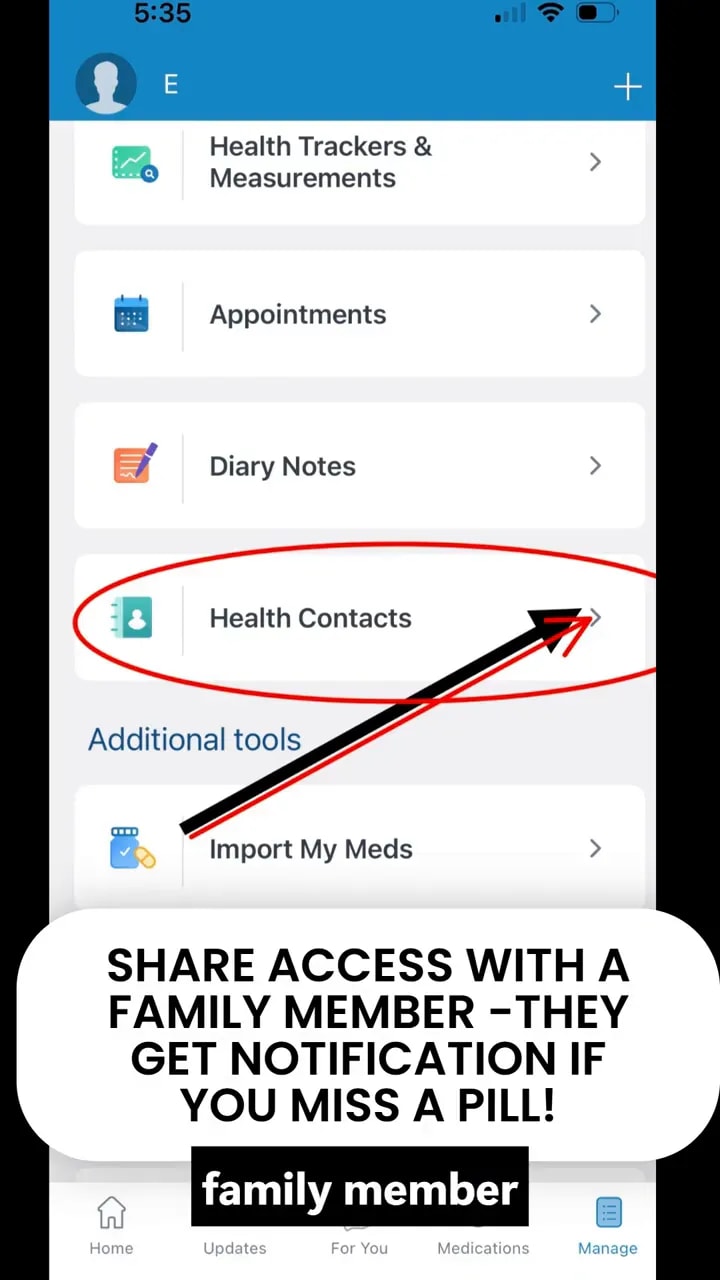
One of the most useful features for seniors and caregivers is the option to add a family member as a med friend.
When this is enabled, the family member can receive a gentle notification if a medication is missed. This can add peace of mind without requiring constant phone calls or manual check-ins.
This feature may be especially helpful when:
- An older parent lives alone
- A caregiver wants a backup reminder system
- Missed doses could quickly become a problem
Common mistakes to avoid when setting up medication reminders
- Entering the wrong time. Double check AM and PM.
- Using broad time labels when exact timing matters. Use the clock setting if your dose must be precise.
- Forgetting to allow notifications. If alerts are blocked on your iPhone, reminders may not appear properly.
- Skipping dose logging. Marking pills as taken can help prevent confusion later.
- Not reviewing your medication list. Make sure names and forms are correct after setup.
Frequently asked questions
Is Medisafe free on iPhone?
Yes. The source material describes it as completely free to download.
Can Medisafe remind me exactly when to take medicine?
Yes. You can choose times of day and also set the exact hour for reminders.
Can Medisafe help with multiple medications?
Yes. The app is presented as a way to manage more than one medication and identify each one in reminders.
Does Medisafe warn about medications that should not be taken together?
Yes. The source material says it can warn you if two medications should not be taken together.
Can I share information with family or a doctor?
The source material says your information stays private unless you choose to share it yourself. It also notes that tracked health information can be shown at a future doctor visit.
Quick setup checklist
- Download Medisafe from the App Store
- Open the app and tap the plus sign
- Search for each medication by name
- Select the correct pill form
- Choose the reminder time or exact hour
- Allow iPhone notifications
- Log doses as taken
- Add a family member if you want missed dose alerts
- Use health trackers for blood pressure, weight, or pain if needed
Bottom line
If you need a free iPhone medication reminder app, Medisafe offers a straightforward way to schedule pill alerts, organize medications, track health information, and notify a trusted family member if a dose is missed.
For seniors, caregivers, and anyone juggling several prescriptions, that combination can make daily medication management much easier and more reliable.